Wired where it counts
A wired IP camera does not depend on a Wi-Fi signal at its mounting position. We plan discreet cable routes and power with the camera view.

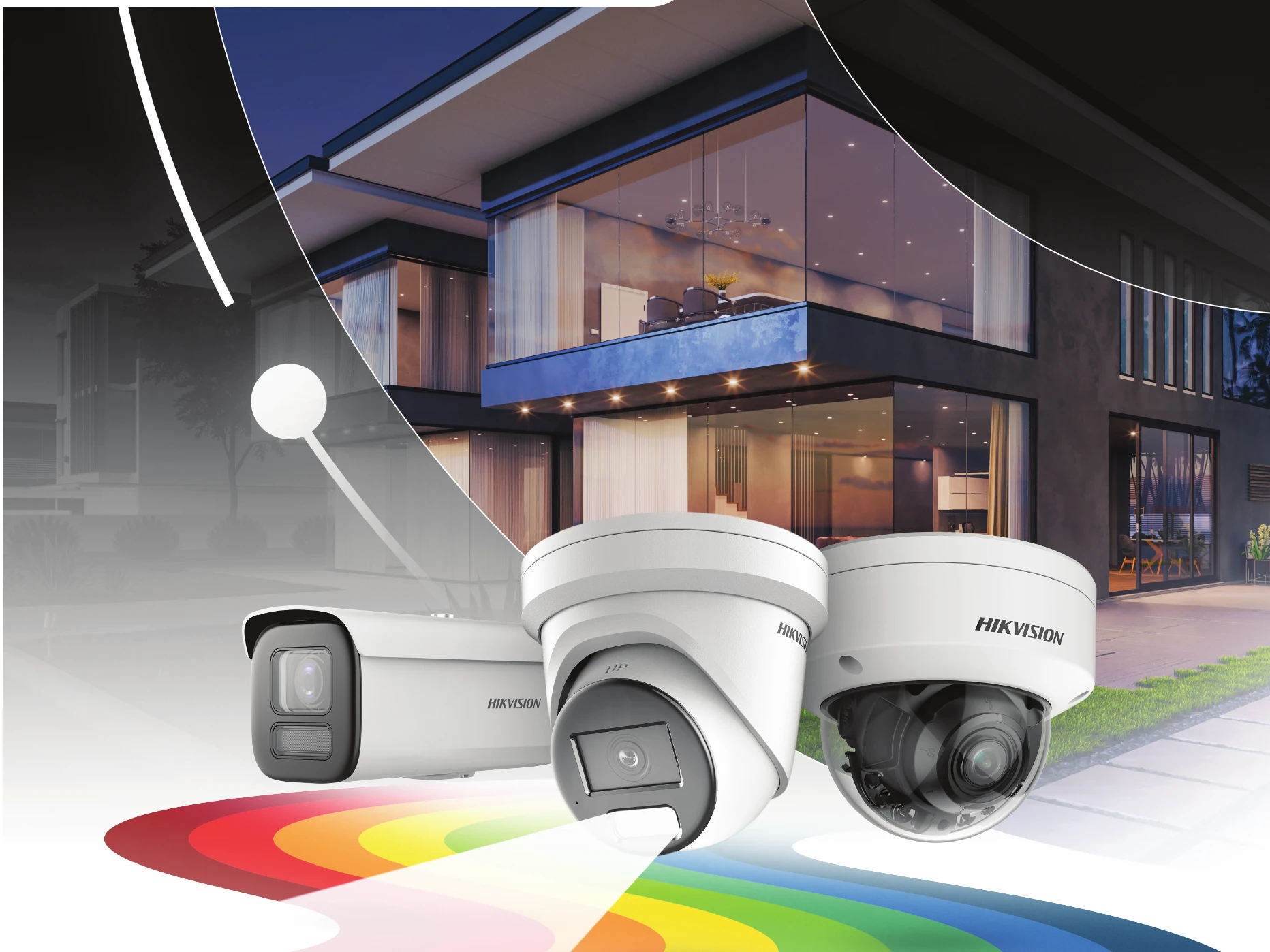
Colour can help you recognise the jacket, vehicle or detail you were looking for. We plan Hikvision ColorVu systems around the light, distance and view at your property.
Plan your camera positions ↗Traditional infrared footage is useful, but is usually black and white. We often recommend Hikvision ColorVu because colour at night can make clothing and vehicle details easier to describe. A wired camera and local recorder help make the whole system dependable day to day.
ColorVu is not one fixed camera or a promise that every scene will look like daylight. We check ambient light, camera position, lens, supplementary lighting and the model before recommending a setup.
See a real four-camera ColorVu installation →

We choose the recording and network design with the cameras, so the footage is there when you need it.
A wired IP camera does not depend on a Wi-Fi signal at its mounting position. We plan discreet cable routes and power with the camera view.
A network video recorder (NVR) can record continuously to local storage. We specify capacity for your cameras and agreed retention period; this does not require a cloud-storage subscription.
We set up supported remote viewing, demonstrate playback and show you how to export a clip. Remote access needs a working internet connection; local recording can continue without one.
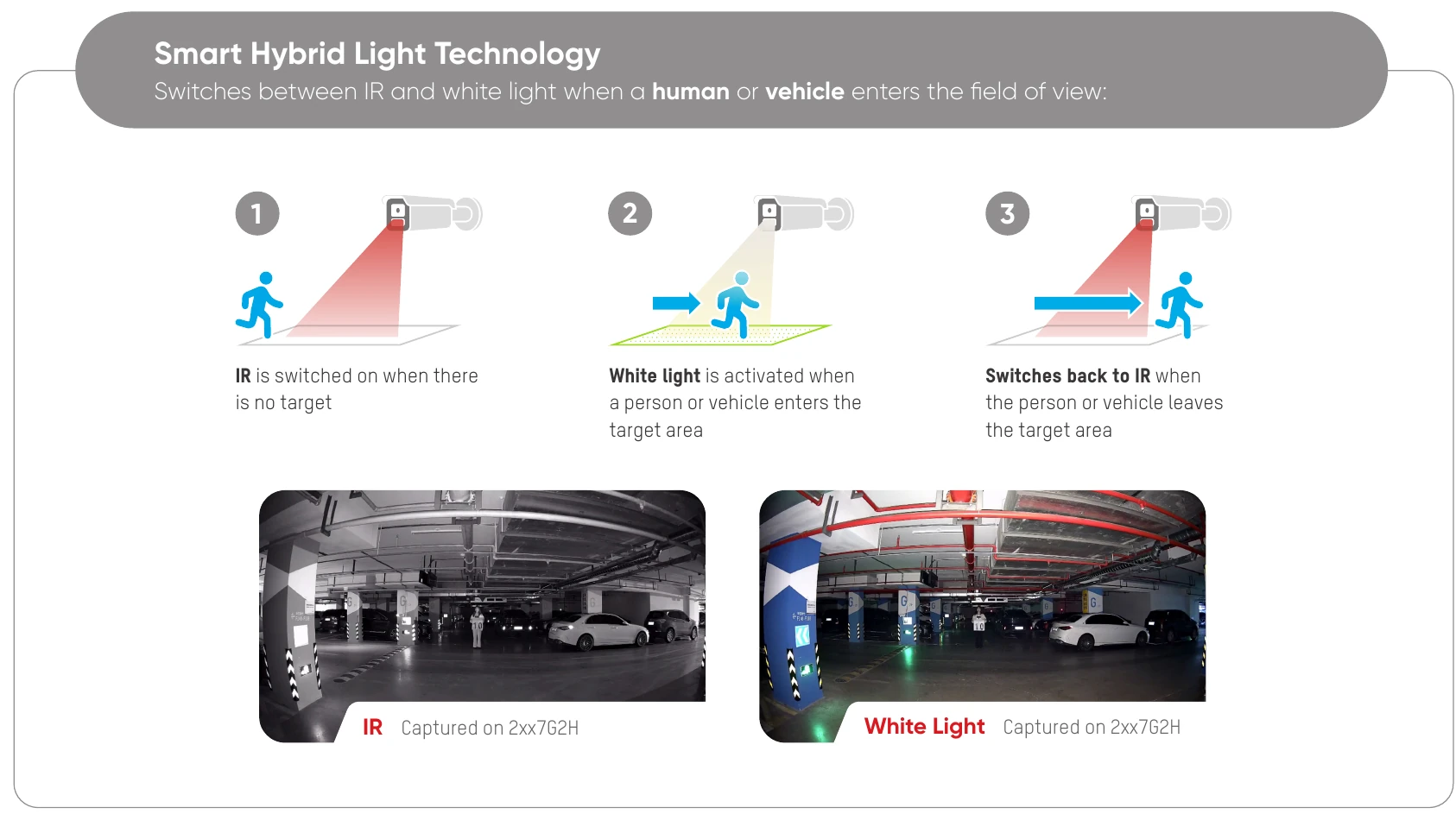
Hikvision's own diagram shows the camera using infrared when no target is present, switching to white light when a person or vehicle enters the target area, then returning to infrared. The example frames below show the difference between the two modes on a compatible camera.
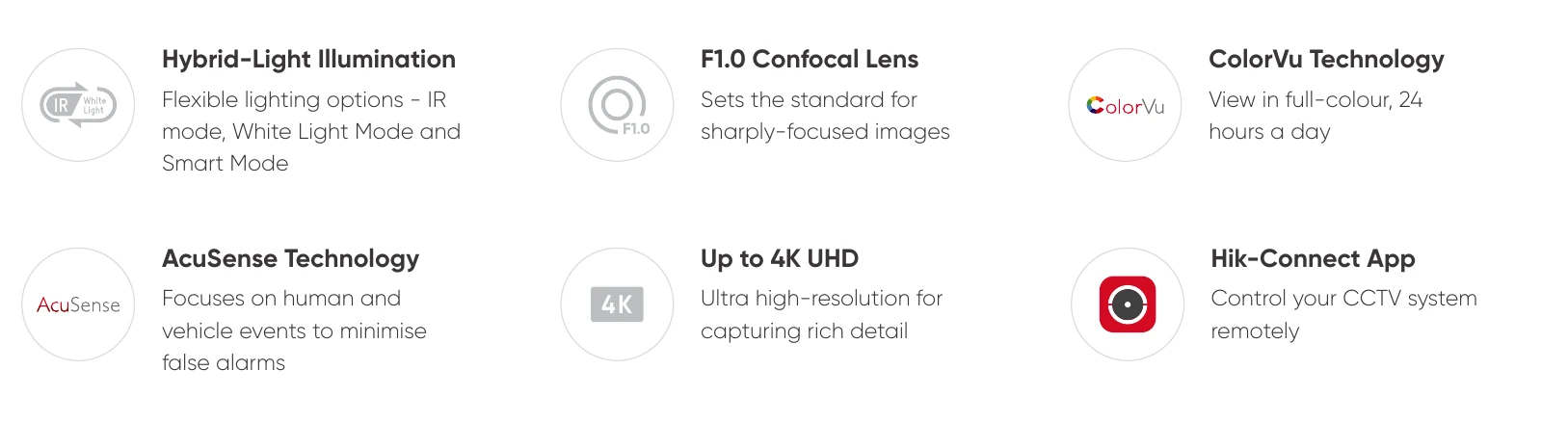
The same Hikvision sheet highlights flexible lighting, an F1.0 confocal lens, ColorVu, AcuSense person-and-vehicle detection, up to 4K resolution and Hik-Connect remote access. The exact combination depends on the camera and recorder selected.
Hikvision's UK Smart Hybrid Light infographic explains three selectable modes on compatible cameras: infrared, white light and smart mode. Smart mode uses infrared until a person or vehicle event triggers white light for a colour image, then returns to infrared. That can avoid a white light shining continuously, but the choice depends on your neighbours, the scene and the camera model.
Hikvision's UK ColorVu 3.0 brochure covers newer camera options, including improved low-light processing, person-and-vehicle detection and selected audio features. These are model-specific options, not a claim that every ColorVu camera has them.
Compatible AcuSense cameras can classify people and vehicles to reduce less useful motion notifications from rain, leaves or animals. We set detection areas and schedules for the property, then adjust them with you after installation. Camera position and configuration still matter.
It depends on the camera and its lighting. Colour imaging needs light from the scene or a compatible supplementary light; some models can switch to infrared or illuminate on an event. We will show you the proposed mode rather than promise the same result everywhere.
Not for footage stored on a local NVR in the typical system we install. Hardware, storage and maintenance have costs; any optional cloud or other subscription service would be discussed separately.
Supported systems can provide phone viewing when the recorder and internet connection are working. We configure access, show you how to use it and explain what remains available if the internet goes down.
Tell us what you need to see, secure or take over. We’ll work out the right next step.